Ask five carpenters in Accra what a wardrobe costs and you will get five different answers. Some of them are losing money without knowing it. A good price is not a guess per foot: it is built up from what the job really uses. This guide shows the method. It does not give prices, because board and hardware prices change from month to month and from one supplier to the next. Use your own supplier's prices on the day you quote.
1. Measure and design first
You cannot price what you have not designed. Measure the wall or the alcove, note the ceiling height, the door and window positions, and any sockets or pipes. Agree the layout with the client: how many doors, hanging space or shelves, drawers, a shoe rack, a mirror. Each of those changes the price.
2. Count the boards from a cut list
Boards are the biggest cost, so count them properly. Make a cut list of every part, lay the parts out on 2440 × 1220 mm sheets, and count the sheets of each material: carcass board, door board, backs. Do not divide area by area: you always lose some board to the saw and to off-cuts, and the real count is higher.
Price each material separately. Woodgrain doors, high-gloss or sprayed MDF cost more than plain white carcass board, and they often need more sheets because the grain must run one way.
3. Add edge banding
Add up the metres of edging on every banded edge, plus about 10 percent for trimming and spoilt runs. Thicker 2 mm banding on doors costs more than 0.4 mm on hidden edges, so price them as separate lines.
4. List the hardware
Hardware is where small jobs quietly lose money. Count every item:
- Hinges: two to five per door, depending on its height and weight. Soft-close hinges cost more.
- Sliding door gear, if the doors slide: track, rollers and guides.
- Drawer runners, one pair per drawer.
- Handles or push-to-open catches.
- Hanging rails and their end brackets, shelf supports, shoe racks, LED strips and drivers.
- Fixings: screws, cams and dowels, glue, wall plugs.
5. Price your labour
Work out how many days the job takes from cutting to fitting, for each person. Multiply by a day rate that covers what you pay them, plus what it costs to keep the workshop open: rent, electricity, machine blades and repairs. If the workshop runs on a generator during power cuts, the fuel belongs here too.
6. Add transport and fitting
Price the truck or tricycle to site, the fitter's days on site, and any extras such as removing an old wardrobe or working on an upper floor without a lift. Out-of-town jobs need travel time.
7. Add your margin
Everything so far is cost. Your margin is what is left for the business after the job. Add it as a percentage on top of cost. Remember that markup and margin are not the same: a 25 percent markup on cost is a 20 percent margin on the price. Decide which one you mean and use it on every job.
8. Protect yourself from price changes
Many boards and fittings are imported, so their price follows the cedi. A quote that was right last month can be a loss this month. Three habits help:
- Give every quote an expiry date, for example two weeks.
- Take a deposit that covers at least the boards and hardware, and buy the materials as soon as it arrives.
- Re-check supplier prices before you quote, not from memory.
9. Write the quote clearly
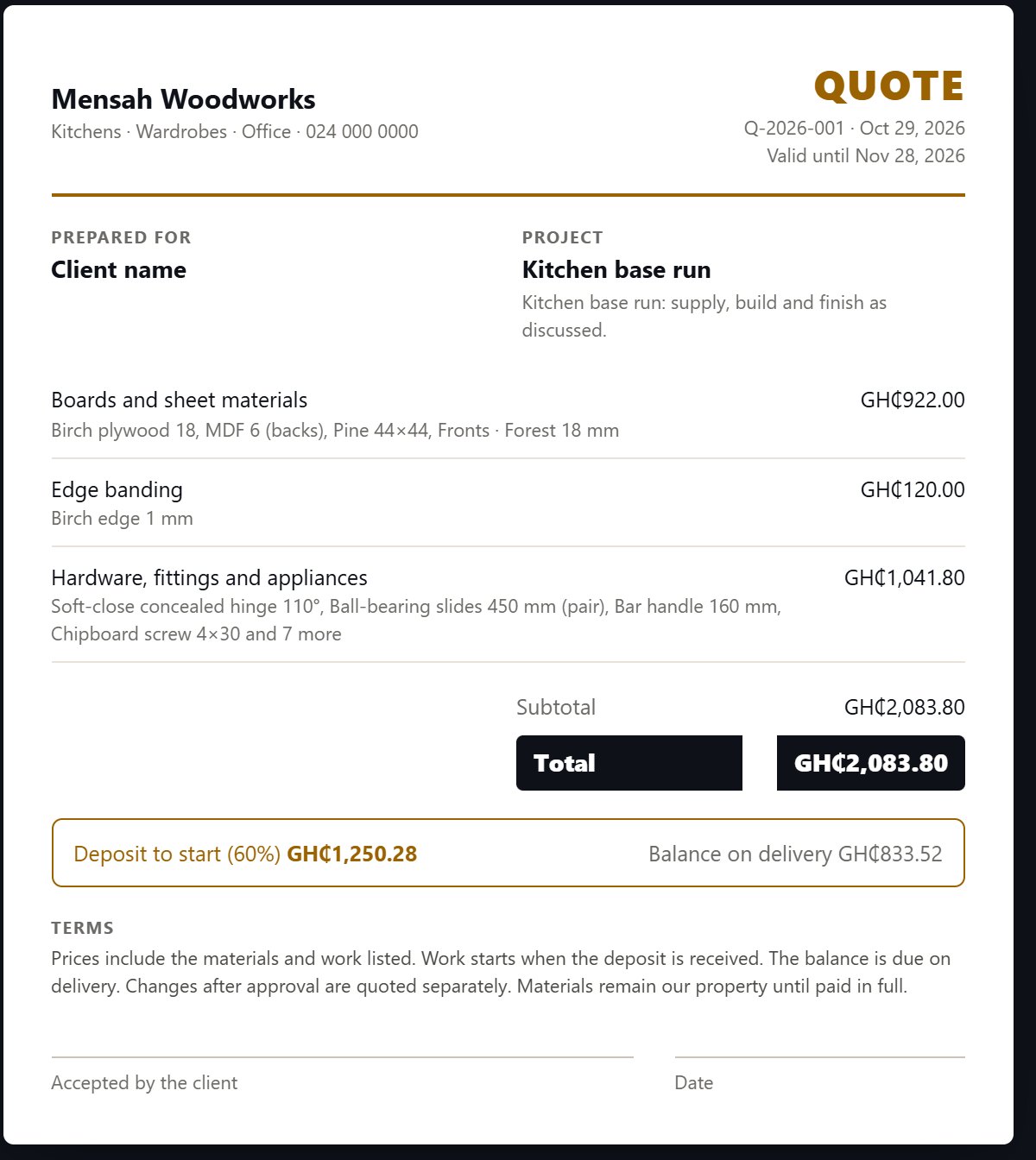
A clear quote wins more jobs than a cheap one. Show what is included (sizes, colour, number of doors and drawers, fitting) and what is not (painting, electrics, removal). State the deposit, the balance, the expiry date and roughly how long the work takes. Get it signed before you buy anything.
How Woodkraft prices a wardrobe
Woodkraft follows the same steps, from the real design rather than estimates:
- You draw the room and place the wardrobe. The U-shaped wardrobe tutorial shows how.
- Send to cut list and Optimize count the real number of boards, with the edge banding and every fitting.
- You type what you pay your supplier for each material once. Woodkraft keeps those prices for every job after.
- Estimate adds your labour and markup. Quote turns it into a branded quote with a deposit, which you save as a PDF or the client signs on screen.